
Stock management and sales tracking for shops in Cameroon
Manage your shop's stock and sales from your phone
Sold two soaps? Stock goes down and connected teammates see the update. Stock Master brings catalogue, sales and clear indicators together to help you run your shop.
7-day free trial, no payment required. Then 3,500 FCFA for 1 month with the monthly plan.
Already registered? Log in
For shops, retailers and small businesses in Cameroon
Stock Master is for traders who sell products from stock and want to know at any time what is left and what has been sold, whether you run your shop alone or work with several sellers.
Owners who want to follow their sales
From your phone, see sales, remaining stock and products to restock, even when you are not at the counter.
Shops with several sellers
Each seller has their own access. You decide what they can see and do, and every sale keeps the name of the person who recorded it.
Small businesses that want orderly stock
Catalogues and sub-catalogues, product records with photo, purchase and selling prices in FCFA, stock adjustments and change history. Up to 1,000 product records kept per shop, trash included.
Built for everyday business in Cameroon
Prices in FCFA, subscription paid by Mobile Money (MTN or Orange), French or English interface, and sales still possible during a network outage, within the limits described below.
Everything you need to manage your shop day to day
Manage your products and stock
Organise rice, oil and soap by catalogue, with photo, purchase price and selling price. Each sale updates stock, and low or out-of-stock products are flagged based on your rights. Set a low-stock threshold and an expiry date per product, or track your batches: the sale suggests the nearest date first, an expired batch is no longer sold, and losses are recorded separately from sales.
Track your sales
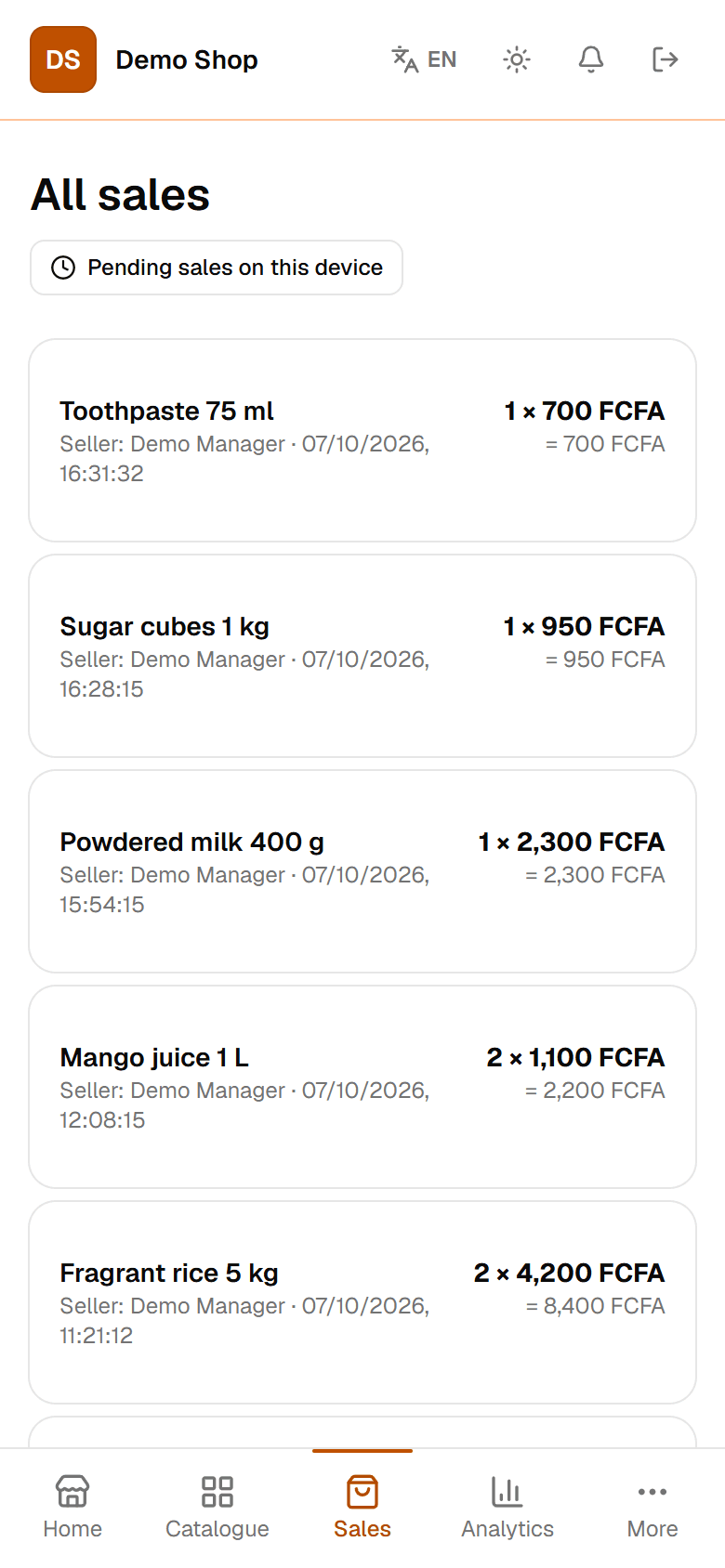
Choose the product, quantity and actual price, then confirm. Every sale keeps its date and the seller's name. Connected teammates see updates without reloading, and sales history stays available according to your rights.
Give everyone the right access
Invite your sellers with a link. By default, a seller records sales and sees their own; you add other rights one by one: manage the catalogue, adjust stock, see all sales, costs or analytics, invite members. An administrator has every right, and access can be suspended. The price does not change with the number of sellers.
Understand your business
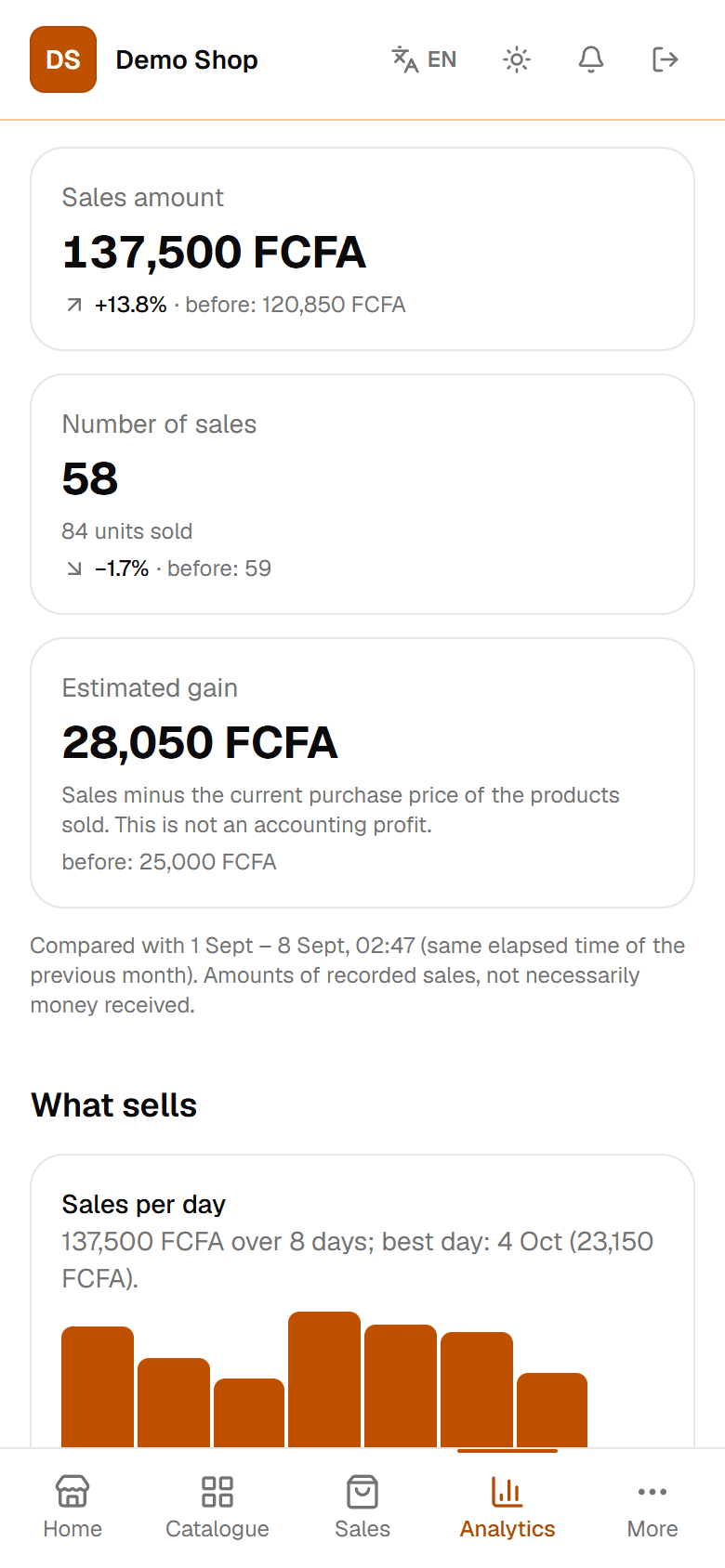
Analytics highlights products to watch, best sellers and estimated gain according to your rights. Example: spot oil to restock from the pace of recorded sales. It helps decisions; it is not automatic ordering or guaranteed profit.
Keep each month's history
Owner and administrator can choose a month in Analytics and download Excel or PDF. You get the summary, sales, products, sellers and corrections, excluding sales still pending on a device.
See alerts and get support
The bell shows notifications that match your rights, including expiry alerts. Need help? Message us on WhatsApp, or write from Organisation → Support (owner, administrator or authorised seller).
Make it yours: French or English, light or dark mode, logo and shop colours. Also included: trash and the euro ↔ CFA franc converter.
Network down? You keep selling.
Open the app while you have network
On the same device, account and shop, load the catalogue with a session allowed to sell. The catalogue and this capability are kept for up to 72 hours; the session must remain valid.
Sell even without a connection
A soap sale stays on this device, marked “pending”. Offline stock is indicative: it does not include teammates' sales.
The network comes back, the sales are sent
With the app open and a valid session, sending resumes automatically. The server checks stock and rights again; if a sale is refused, use Pending sales.
Without network: only already-loaded catalogue and new sale entry. Products, analytics, exports and team management need a connection. The queue is limited to 200 non-finalised sales per account and shop on this device; after 14 days, a sale is no longer sent automatically. Keep the same device for recovery.
One subscription, the length you choose
One price for the whole shop. The amount shown is paid once and covers the whole chosen length. The owner pays from the Subscription area, by Mobile Money (MTN or Orange) on SasPay's secure page; payment fees are covered by Stock Master.
7-day free trial, no Mobile Money payment
1 month
3,500 FCFA
Start at your own pace
paid once for 1 month
One month to run your business day to day.
3 months
10,000 FCFA
Get three months ahead
paid once for 3 months
Save 500 FCFA compared with paying monthly. About 3,333 FCFA per month, for comparison only.
6 months
18,500 FCFA
Six months to grow your business
paid once for 6 months
Save 2,500 FCFA compared with paying monthly. About 3,083 FCFA per month, for comparison only.
12 monthsBest savings
35,000 FCFA
A full year of management, 2 months free
paid once for 12 months
Save 7,000 FCFA compared with paying monthly. About 2,917 FCFA per month, for comparison only.
- Same features for every length, according to each member's rights.
- One subscription per shop, no extra charge per seller.
- No automatic payment: every renewal is voluntary.
Frequently asked questions
How do I get started?
Create your account with your shop's name, then confirm your email address with the link you receive. Log in, add your sections and products: you can record your first sales. The 7-day free trial starts when the shop is created.
Can my sellers use the app?
Yes. In the Organisation area, create an invitation: you get a link to send to the seller, for example by text message or a messaging app. They create their access with this link. Every member can record sales; you add the other rights one by one.
Can I follow my shop's sales remotely?
Yes. Log in from your phone: sales recorded by your sellers appear as soon as they are sent, with stock updated. With the matching right, you can also receive a notification for each new sale by another member.
Do I need to install an app on my phone?
No. Stock Master opens in the browser of a phone, tablet or computer, without going through an app store. You can install the app from the browser for quicker access. Once installed, you can open it straight from your home screen.
What if the connection is poor?
If you opened the app with network in the last 72 hours, you can keep recording sales without a connection. They stay on the device for up to 14 days and are sent as soon as the network comes back. Adding products, viewing analytics or managing the team needs a connection.
How does the subscription work?
After the 7-day trial, the owner chooses a length of 1, 3, 6 or 12 months in the Subscription area. The owner pays online, once, by Mobile Money (MTN or Orange) on SasPay's secure page; payment fees are covered by Stock Master. There is no automatic payment: every renewal is voluntary. The price covers the whole shop, whatever the number of sellers.
Can other shops see my data?
No. Each shop has its own space. Only the members you invite can access it, with the rights you give them.
Try Stock Master in your shop
Create your account, add a few products and record your first sales. You have 7 free days to make up your mind.